Nado Tv: Lightweight Android IPTV player for user-provided streams
Nado Tv by NADO GROUP is an Android media player for accessing IPTV content on phones, tablets, and TV boxes. It connects user-supplied M3U playlists or Xtream Codes API credentials to play live television, movies, and series while offering an integrated EPG and multi-screen playback for schedule tracking and concurrent viewing. The app includes parental controls, hardware acceleration support, and a customizable interface aimed at IPTV subscribers who want a compact client to manage their own streams across devices.
How the app handles daily playback and content access
Nado Tv operates as a client for user-owned IPTV services, not a content provider, so daily viewing depends on the playlists or service you supply. The player accepts both Xtream Codes API and M3U playlist URLs and shows an integrated Electronic Program Guide for live channels. It supports external players and hardware acceleration to reduce playback hiccups on many Android devices.
What devices and services it integrates with
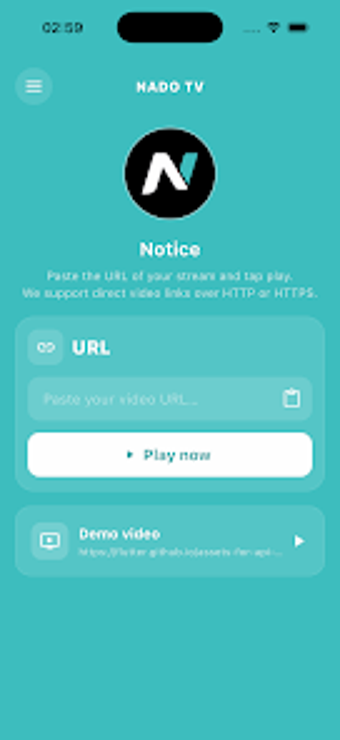
The app targets Android environments, including smartphones, tablets, and Android TV boxes, and it can be used on Fire TV devices via sideloading. Setup requires entering provider details such as a playlist URL or Xtream Codes login (username, password, server URL). The interface adapts to touchscreens and remote control layouts, which helps when switching between handheld and TV use.
How approachable it is for everyday use
The interface focuses on quick navigation and search, with advanced search tools that speed up finding channels, movies, or series. Built-in parental controls let household administrators restrict specific content. The developer describes the app as lightweight, which supports smoother performance on entry-level Android hardware and reduces setup friction for users who want a responsive, simple player.
Privacy, reliability, and dependence on third-party content
Reliability in practice ties closely to external providers; user feedback highlights stable streaming when the underlying service is solid and reduced satisfaction when it is not. The app requires entering playlist URLs or API credentials, so users should manage those credentials like other account details. Stability and perceived quality therefore reflect the third-party source as much as the player itself.
A practical choice for hands-on IPTV subscribers
Nado Tv suits IPTV subscribers who prefer to manage their own streaming sources and want a compact Android client with remote-capable navigation. Expect playback reliability to mirror the quality of the external service you use. Pro tip: verify a short sample channel or provider login on your primary device during a quiet hour to confirm stable streams before relying on it for scheduled viewing. The app fits users comfortable maintaining their own feeds.
Pros
Accepts M3U playlists and Xtream Codes API credentials
Integrated EPG for live TV schedule tracking
Multi-screen support for concurrent viewing
Customizable interface for touch and remote control
Cons
Does not provide built-in channels or content
Playback quality depends on third-party provider
Setup requires entering provider credentials or playlist URLs
Fire TV devices may require sideloading to install
Laws concerning the use of this software vary from country to country. We do not encourage or condone the use of this program if it is in violation of these laws. Softonic may receive a referral fee if you click or buy any of the products featured here.